> ## Documentation Index
> Fetch the complete documentation index at: https://docs.buildai.space/llms.txt
> Use this file to discover all available pages before exploring further.
# App analytics
> See how people use your app - visits, feedback, signups, and more.
BuildAI includes a built-in analytics dashboard for every published app. Track visitors, see where your traffic comes from, and understand how people use your app - all in one place, updated in real time.
***
## How to Open Analytics
1. Open your app in the builder.
2. Click the **Analytics** icon (bar chart) in the left sidebar.
***
## Overview
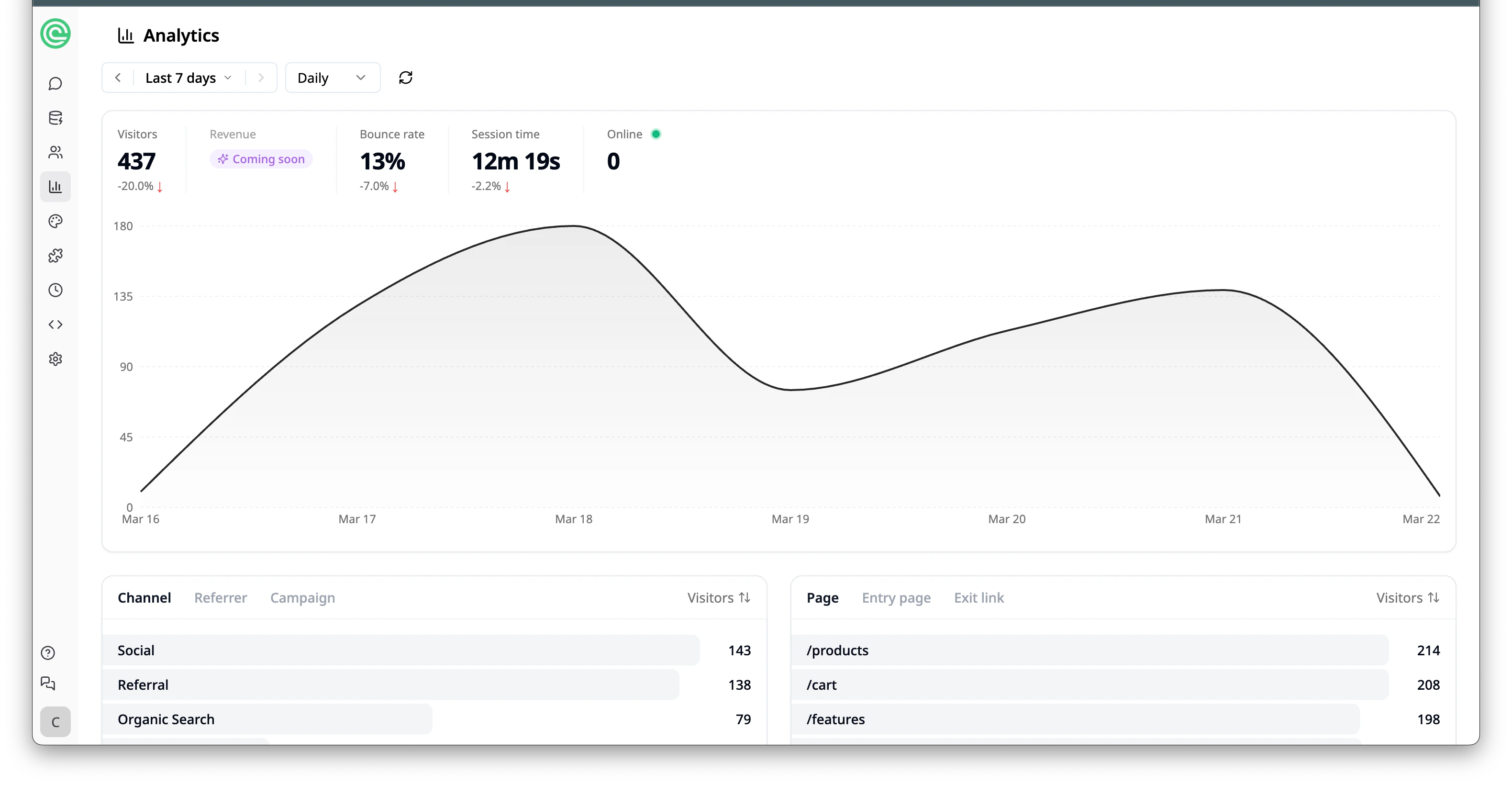
At the top of the dashboard you'll see key metrics at a glance:
* **Visitors** - total unique visitors to your app, with a percentage change indicator
* **Revenue** - revenue generated from your app (coming soon)
* **Bounce rate** - percentage of visitors who leave without interacting
* **Session time** - average time visitors spend in your app
* **Online** - number of visitors currently on your app in real time
You can filter the data by time range (e.g. last 7 days, last 30 days) and toggle between **Daily** and other intervals. Use the arrow buttons to navigate between time periods.
## Visitor Trend Chart
Below the metrics, a line chart shows your visitor traffic over the selected time range so you can spot trends and peaks at a glance.
 ***
## Channels
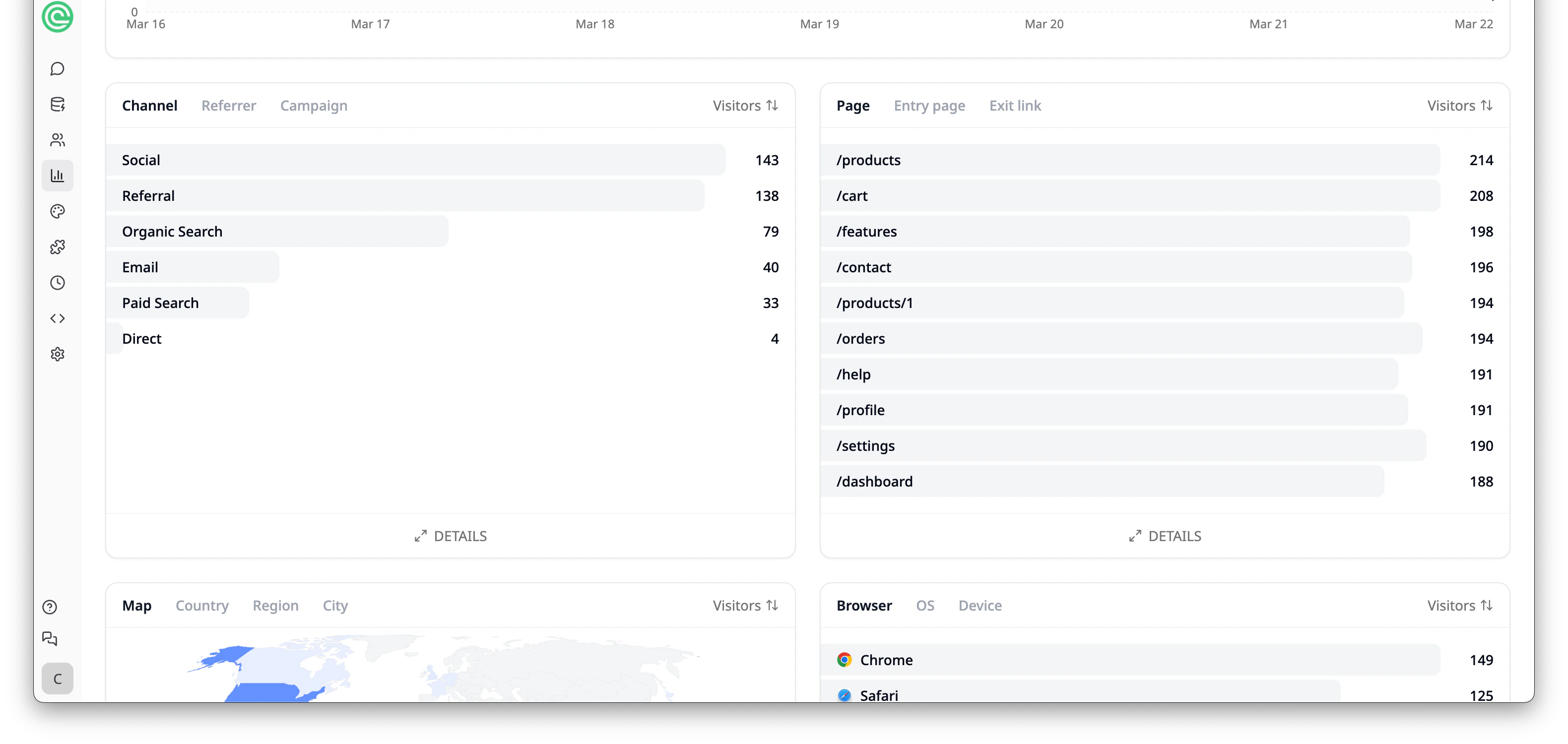
The **Channel** section breaks down where your traffic comes from:
* **Social** - visitors from social media platforms
* **Referral** - visitors from other websites linking to your app
* **Organic Search** - visitors who found your app through search engines
* **Email** - visitors from email campaigns
* **Paid Search** - visitors from paid search ads
* **Direct** - visitors who typed your app URL directly
Switch to the **Referrer** tab to see specific referring domains, or the **Campaign** tab to track UTM-tagged links.
***
## Pages
The **Page** section shows which pages in your app get the most visits. Switch between:
* **Page** - all pages ranked by visitor count
* **Entry page** - the first page visitors land on
* **Exit link** - outbound links visitors click to leave your app
***
## Channels
The **Channel** section breaks down where your traffic comes from:
* **Social** - visitors from social media platforms
* **Referral** - visitors from other websites linking to your app
* **Organic Search** - visitors who found your app through search engines
* **Email** - visitors from email campaigns
* **Paid Search** - visitors from paid search ads
* **Direct** - visitors who typed your app URL directly
Switch to the **Referrer** tab to see specific referring domains, or the **Campaign** tab to track UTM-tagged links.
***
## Pages
The **Page** section shows which pages in your app get the most visits. Switch between:
* **Page** - all pages ranked by visitor count
* **Entry page** - the first page visitors land on
* **Exit link** - outbound links visitors click to leave your app
 ***
## Geography
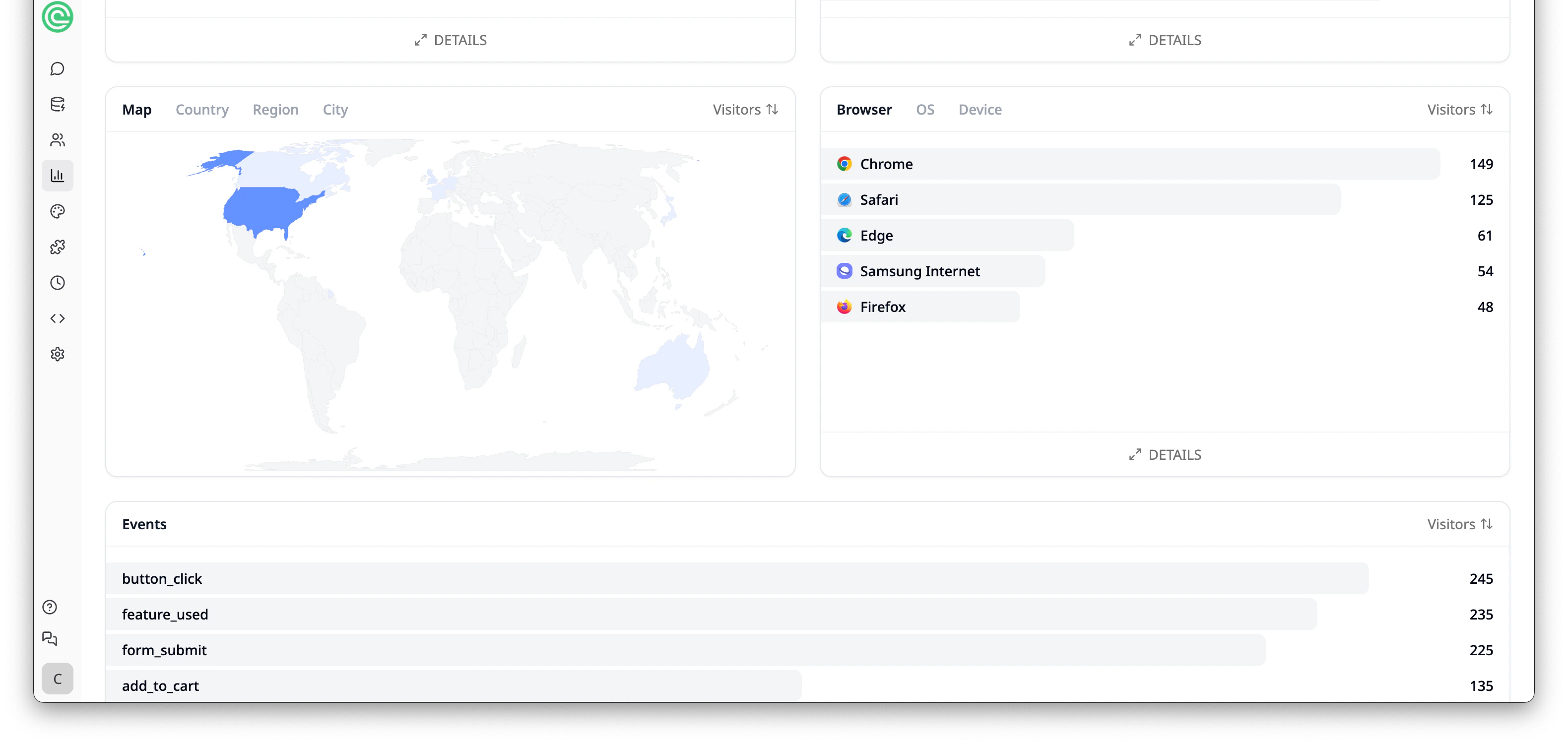
The **Map** section displays a world map highlighting where your visitors are located. Switch between:
* **Map** - visual geographic distribution
* **Country** - visitors broken down by country
* **Region** - visitors broken down by region
* **City** - visitors broken down by city
***
## Browsers & Devices
The **Browser** section shows which browsers your visitors use (e.g. Chrome, Safari, Edge, Samsung Internet, Firefox). Switch between:
* **Browser** - breakdown by browser
* **OS** - breakdown by operating system
* **Device** - breakdown by device type (desktop, mobile, tablet)
***
## Geography
The **Map** section displays a world map highlighting where your visitors are located. Switch between:
* **Map** - visual geographic distribution
* **Country** - visitors broken down by country
* **Region** - visitors broken down by region
* **City** - visitors broken down by city
***
## Browsers & Devices
The **Browser** section shows which browsers your visitors use (e.g. Chrome, Safari, Edge, Samsung Internet, Firefox). Switch between:
* **Browser** - breakdown by browser
* **OS** - breakdown by operating system
* **Device** - breakdown by device type (desktop, mobile, tablet)
 ***
## Custom Events
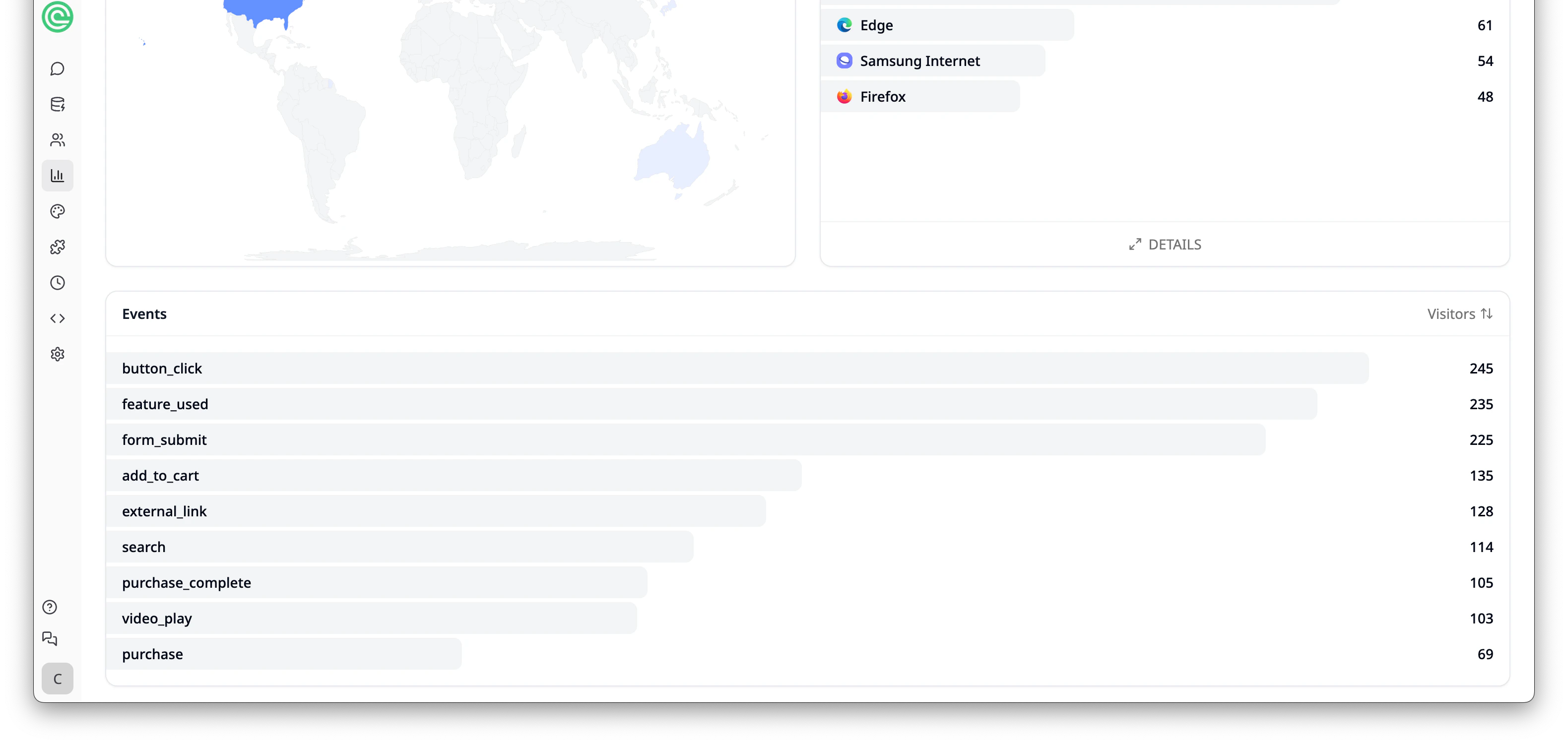
The **Custom Events** section tracks user interactions within your app. Each app will have its own set of custom events based on the features you've built. For example, an e-commerce app might track events like `add_to_cart`, `purchase`, and `search`, while a booking app might track `session_booked` or `form_submit`.
Use events to understand how visitors engage with your app and which features drive the most interaction.
***
## Custom Events
The **Custom Events** section tracks user interactions within your app. Each app will have its own set of custom events based on the features you've built. For example, an e-commerce app might track events like `add_to_cart`, `purchase`, and `search`, while a booking app might track `session_booked` or `form_submit`.
Use events to understand how visitors engage with your app and which features drive the most interaction.
 ***
## Tips
* Check your dashboard regularly to spot trends - are more people using your app this week?
* Pay attention to **bounce rate** and **session time** to gauge how engaging your app is.
* Use the **Channel** breakdown to focus your marketing efforts on the highest-performing sources.
* Add UTM tags to links you share on social media or email, then check the **Campaign** tab to see which drive the most visitors.
* Monitor **Custom Events** to understand which features users engage with most.
Free plans include 7 days of web analytics history. Upgrade your plan for longer retention.
***
## Tips
* Check your dashboard regularly to spot trends - are more people using your app this week?
* Pay attention to **bounce rate** and **session time** to gauge how engaging your app is.
* Use the **Channel** breakdown to focus your marketing efforts on the highest-performing sources.
* Add UTM tags to links you share on social media or email, then check the **Campaign** tab to see which drive the most visitors.
* Monitor **Custom Events** to understand which features users engage with most.
Free plans include 7 days of web analytics history. Upgrade your plan for longer retention.