

Step 1: Click the Publish Button
From your app dashboard, find the Publish button at the top right corner. This is your gateway to making your app available on the web. Click the Publish button to open the publishing options. Here, you’ll see your app’s default link, which typically looks like this: “your-app-name.buildaispace.app”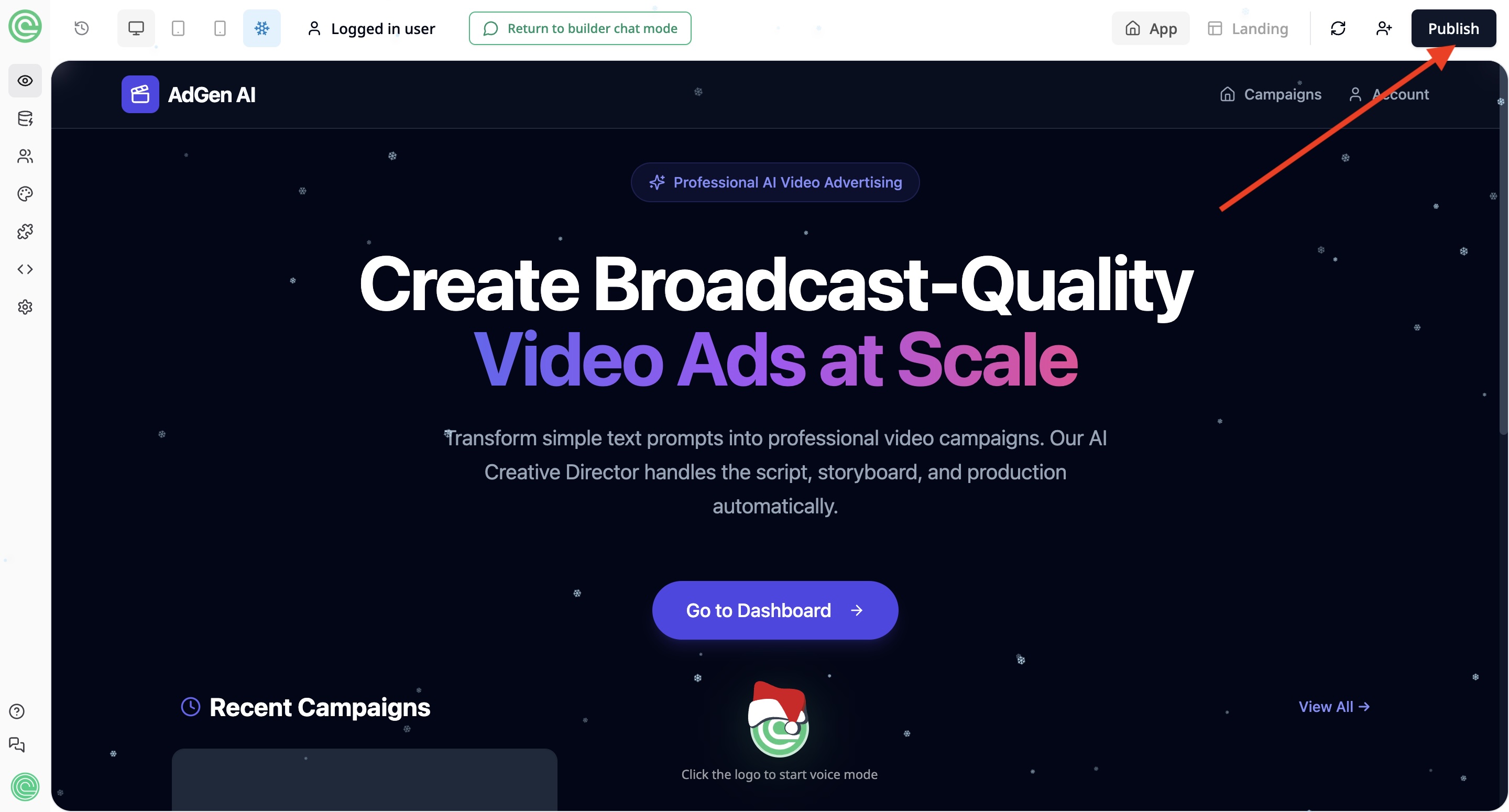
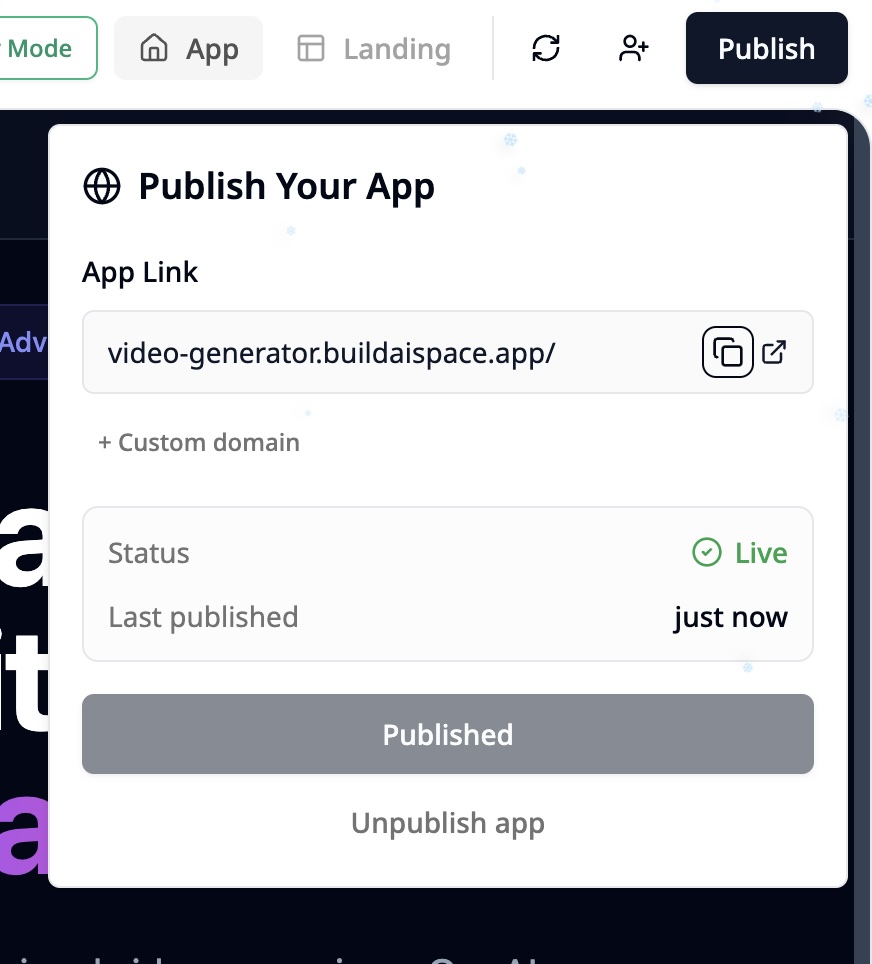
Step 2: Customize Your App Link
You can personalize your app’s link by clicking the Custom Domain button in the publishing options. This opens two flexible options: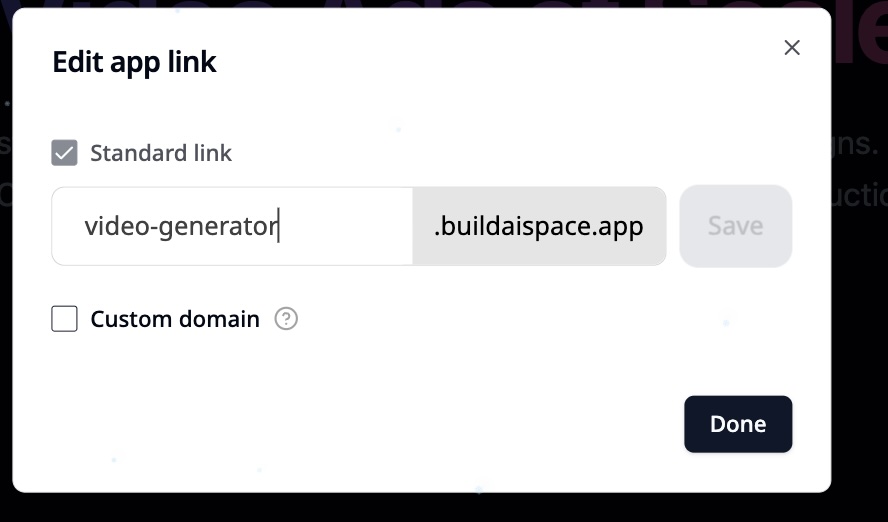
- Change your app’s subdomain under the buildaispace.app domain. For example, switch from: “mynewapp.buildaispace.app” to “video-generator.buildaispace.app”
- Set up your own custom domain to have a fully branded URL that uses your own domain name (this feature is available on certain plans).
How to Setup a Custom Domain This flexibility helps you create a link that’s easy to remember, on-brand, and professional.
Step 3: Share Your App Link!
Once your app is published and your link is set, it’s ready to share with the world! Post it on social media, include it in emails, add it to your website, or send it directly to friends and clients.Step 4: Keep Your App Updated
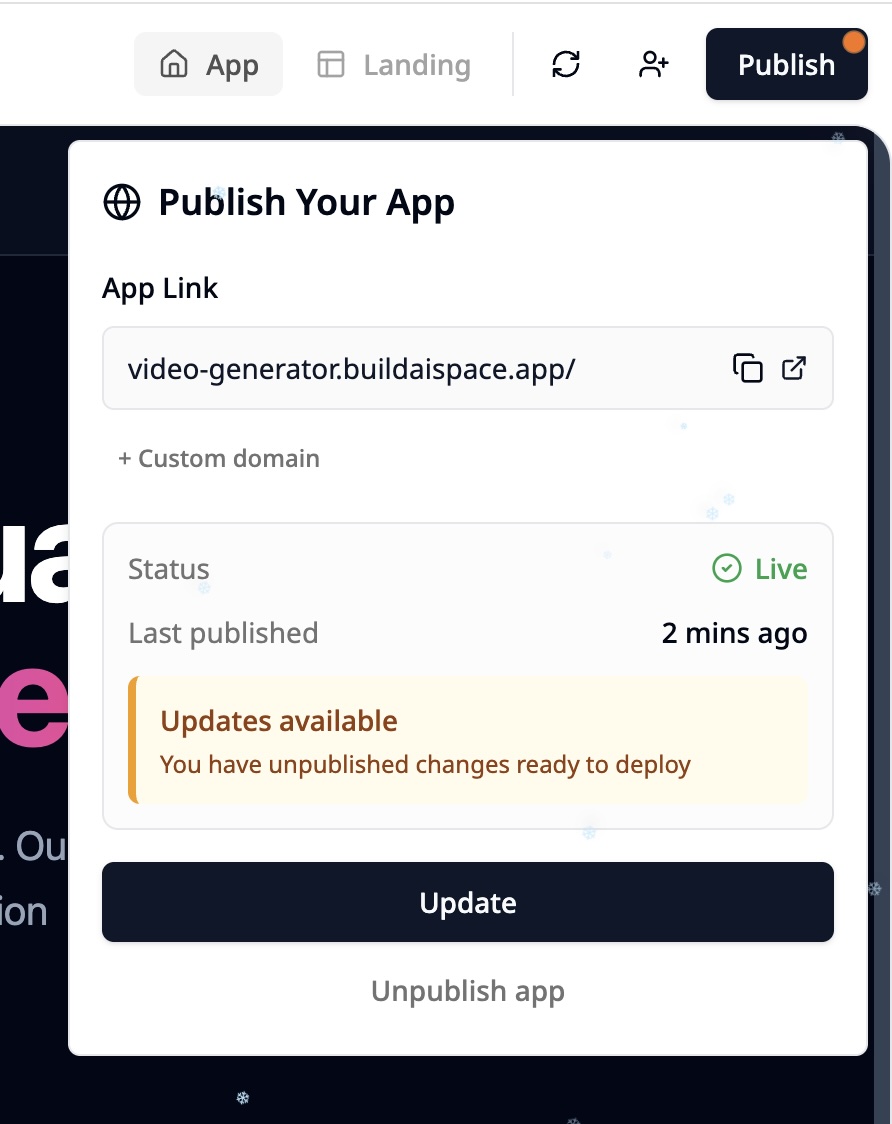
When you make changes to your app after publishing, you’ll see a small red dot on the Publish button, indicating that there are unpublished updates. To publish the latest version:- Click the Publish button again.
- You’ll see an “Updates available” message with an Update button.
- Click Update to push your changes live.
Step 5: Hide Your App When Needed
If you want to temporarily take your app offline, open the publish options and click Unpublish app. This action removes your app’s live link and hides it until you publish it again.Summary
- Click the Publish button in your dashboard to open publishing options.
- Customize your app link by clicking the Custom Domain button. Choose to change your subdomain under buildai.space or set up your own custom domain.
- For a full walkthrough on setting up a custom domain, visit: How to Setup a Custom Domain
- Share your app’s link easily once published.
- Update your app anytime by clicking the red dot on the Publish button and selecting Update.
- Unpublish your app to temporarily take it offline.